
Brewery management software for Canadian craft breweries
From the brewhouse to the taproom to the liquor store shelf, QUALO keeps your brewery’s recipes, kegs, inventory and sales in one place, so your team spends less time on spreadsheets and more time brewing. Recipes become batches, batches become packaged cans and kegs, and everything you sell comes out of the same live inventory.
A taproom POS that keeps up
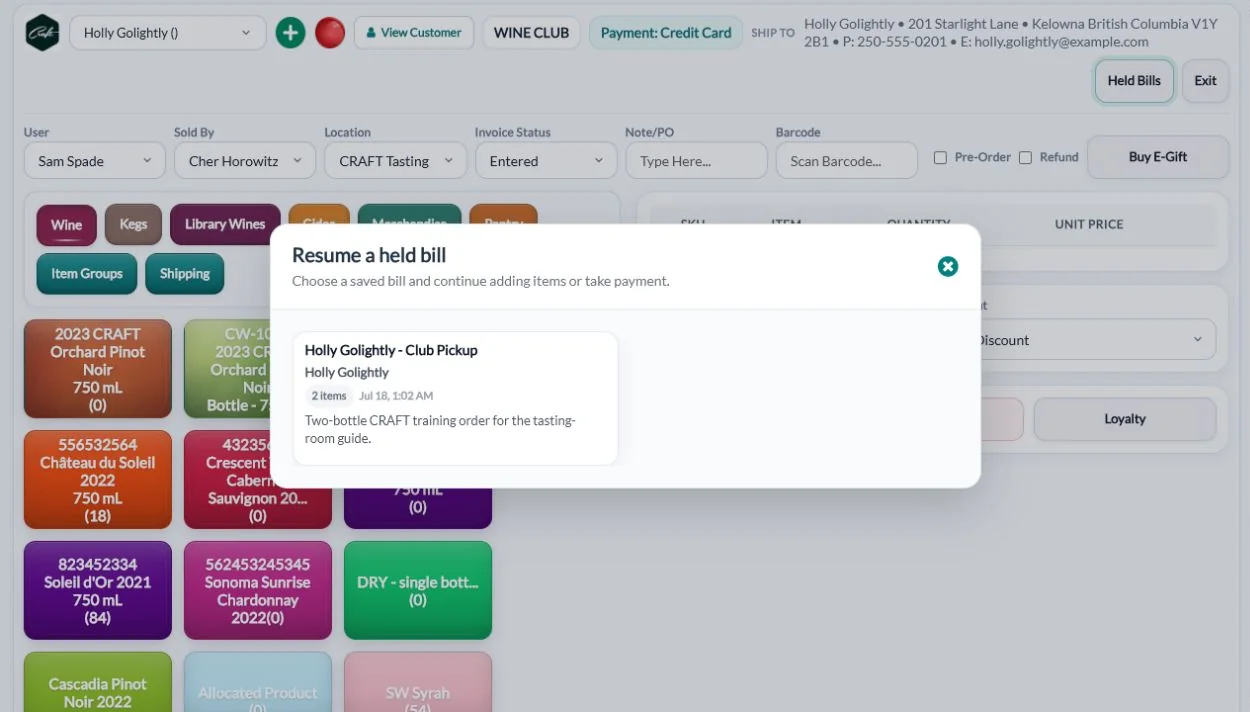
Ring up pints, flights, cans, growlers and merch on a fast POS with integrated Elavon and Moneris terminals. Hold tabs for tables, split bills, take tips and report them by staff member, and sell gift cards. Can and bottle deposits are added automatically, and the taproom screen works on handheld devices for busy nights.
A held bill keeps the table name, customer and notes, so another server can settle the tab later. Club members and trade customers get their own pricing automatically. Guests who booked a tour or tasting are checked in from the reservation and checked out when the sale is finished. At closing, the Cash Out Report breaks down payments and tips by type, and the End of Day dashboard shows the night at a glance.
Look up a regular and their summary sits beside the search, with a red marker on any unpaid invoices, so trade accounts who drop in don’t slip by. Contract prices can cover a single item, a product group or a bundle, so a standing discount applies without anyone having to remember it. Gift cards are emailed to the recipient, and staff check the balance before applying one.
Recipes your brewers will actually use
Keep versioned recipes with target OG, FG, IBU, colour, ABV, pH and carbonation, plus the full grain bill, hop schedule (boil and whirlpool) and yeast. Plan water with saved water profiles and a mineral-addition calculator, set fermentation profiles, then scale a recipe and create a production batch from it in a few clicks.
Each version also records batch size, boil size, boil time and efficiency. Publish a new version when the recipe changes, and each batch keeps the version it was brewed from. The water tool starts from your source water and a target profile, then works out salt and acid additions for the mash and sparge, including RO dilution. Fermentation profiles set the temperature, target gravity and number of days for each stage.
Process steps hold a temperature, a duration and a target reading, so a mash rest or a gravity check is written the same way every time. Recipe lines can be marked optional, show their share of the batch, and carry a cost. Water profiles record calcium, magnesium, sodium, sulphate, chloride, bicarbonate and pH, and the water plan lets you choose lactic, phosphoric, hydrochloric or sulphuric acid, with separate target pH for the mash and sparge.
Bring your recipes with you
Import recipes from BeerSmith (.bsmx), BeerXML and BrewCipher files instead of retyping them.
Upload a file and QUALO stages each recipe, ingredient and step so you can review it before anything is created. Fermentables, hops, yeast and other additions arrive as recipe lines your brewers can edit, and hops keep their use, such as boil, first wort, whirlpool or dry hop. Lines you don’t need can be ignored, errors are flagged, and the original file is kept with the import. Once a recipe looks right, scale it and create a batch from the same screen.
A BeerSmith or BeerXML file brings more than the ingredient list: the beer style, mash steps, water profile and fermentation profile come across too, and a water adjustment plan is set up from the imported water. Hops and malts go into your ingredient library, hops with their alpha acid, and an ingredient you import again is matched by name instead of added twice. You can also import a BeerSmith grain list on its own, with each malt’s origin, supplier, colour, yield, moisture, diastatic power and protein.
Know where every keg is
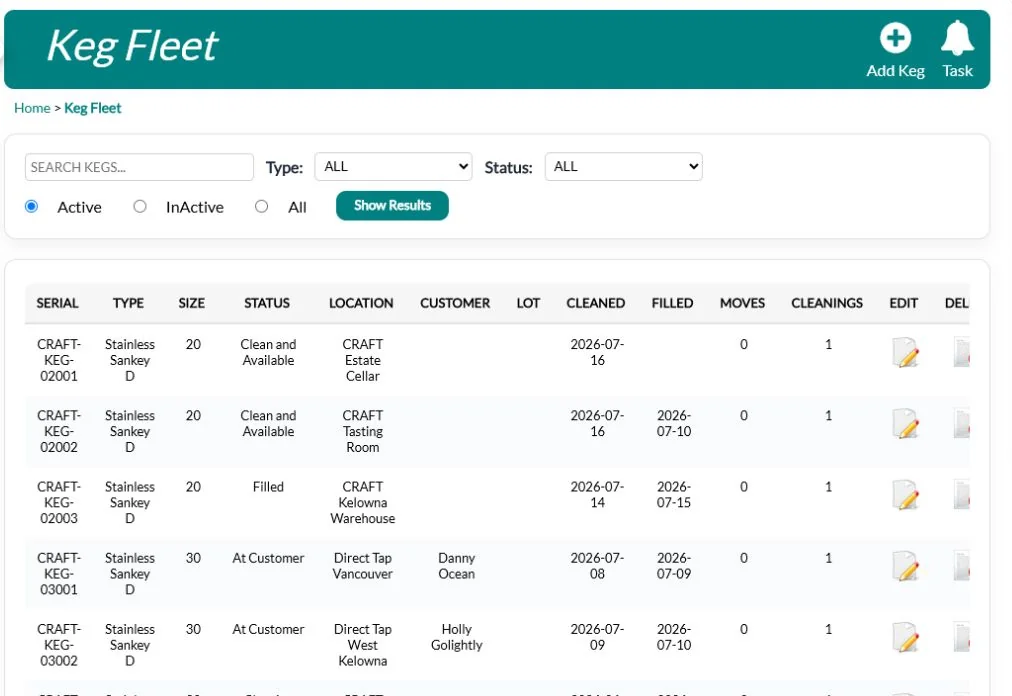
The keg fleet tracks each keg’s size, status, current customer, deposit, last cleaning and last fill, and can store a QR code reference and RFID tag number for each keg. A movement log shows where each keg has been, and a cleaning and inspection log records pass or fail.
Each keg also records its serial number, type, purchase date and the lot it was filled with. Log every move from one location or customer to another, with the lot, date and reference. Cleanings are recorded with the method, chemical, temperature and time, and can be linked to a work order. Retire a keg by marking it inactive, and its history stays on file.
Search the keg fleet and filter by type or status. The list shows each keg’s location, customer, lot, last cleaned and last filled dates, and how many moves and cleanings it has logged. Each move records its type and a note and can be linked to the bill of lading for that delivery, cleanings record how many minutes they took, and you can add a note to any keg.
Brewhouse to sellable stock
Track batches through fermentation and packaging. Packaging runs create lot-numbered cans, bottles and kegs that move straight into the inventory your taproom, online shop and wholesale accounts sell from.
Record transfers from fermenter to brite tank with measured losses, and see each tank and how full it is on the production map. Gravity checks and other lab readings stay with the batch, and you can add a sensory review and approval step before a batch is released for sale. Packaging runs track input volume, packaged quantities, loss and the supplies used. Batch genealogy traces each lot back through its transfers to the brew it came from.
Labour recorded on work orders becomes a cost on the batch, and cost snapshots capture what a batch or finished good cost at packaging. The costing and margins dashboard points out missing costs and low margins. When a packaging run is approved, you choose which location receives the beer, and QUALO won’t release more than the run produced.
One inventory for every channel
Taproom, online, club and wholesale sales all draw from the same live stock across every location and off-site warehouse, with reorder alerts before your flagship runs out. Track brewing supplies such as malt, hops, cans and lids with their own reorder points.
Supplies have their own purchase orders, receiving, transfers and counts, so you know what’s on hand before brew day. Recipe lines can link to supply items, and additions recorded against a batch reduce the supply you used. Each can, bottle or pack size is its own item with its own price, SKU and deposit. Inventory Summary, Depletion and Valuation reports show what moved and what it’s worth.
Each supply has its own unit, storage locations, SKUs and pack sizes, so a case of lids received turns into the right count on the shelf. Receiving records the lot, the cost and any shortfall against the purchase order, and the supplies command centre brings open orders, deliveries and low stock together. The ReOrder Point List counts stock already on its way from another location, so you don’t reorder what’s in transit.
Wholesale and BC reporting
Take trade orders from bars, restaurants and stores, invoice them, and track what you’re owed. Produce the BC LDB report and import LDB invoices, and sync to QuickBooks Online.
Set prices by customer type, or agree contract prices with individual accounts, and the right price applies on every order. Packing slips print with barcodes and weights, and several invoices can print at once for delivery day. Credit sales to reps, run commission reports, and see outstanding invoices and accounts-receivable aging. Price list and where-to-buy reports are ready to share, and Alberta AGLC reporting is built in.
Each trade account can hold its licensee number, several contacts, separate billing and shipping addresses, and preferred delivery days. Add the carrier, delivery details and tracking to an invoice and print a bill of lading for the load, or take a pre-order when a seasonal beer isn’t packaged yet. The Where to Buy report lists the accounts carrying each beer by city and can show them on a map.
Sell online and build a following
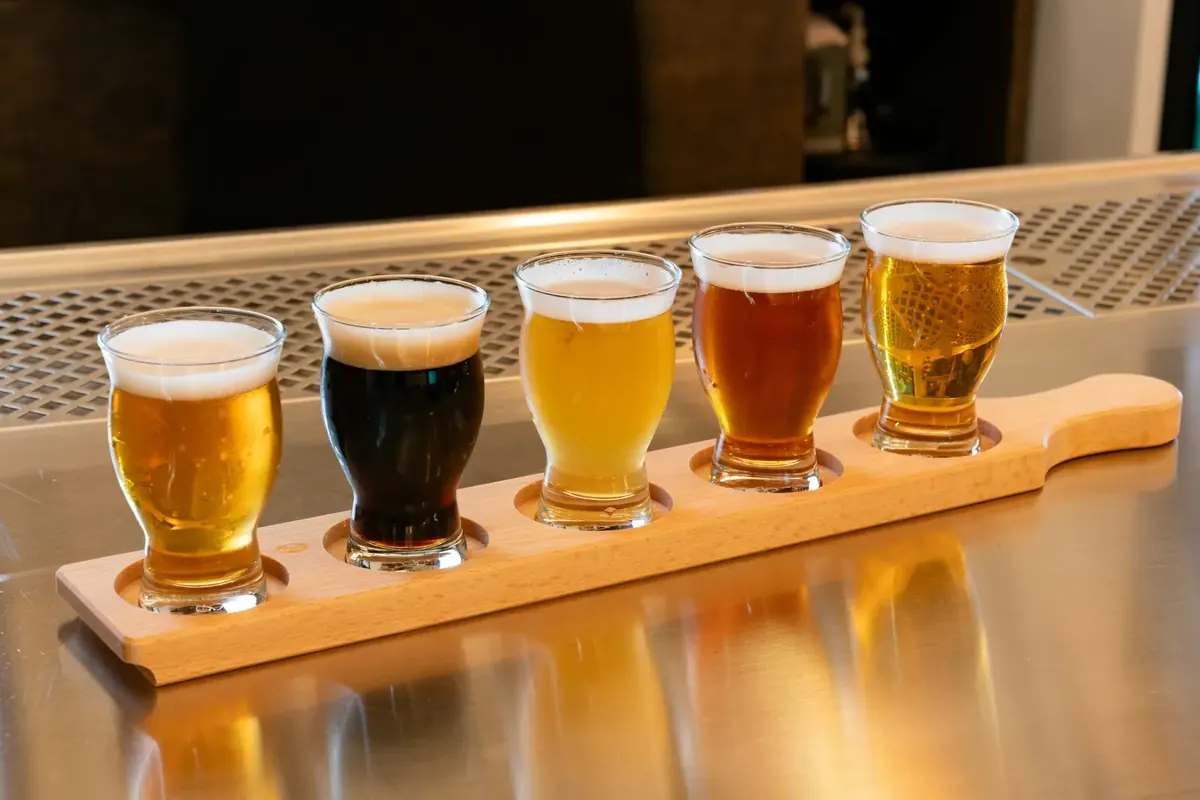
Launch a branded online store for cans, growlers and merch, and run a beer club or subscription with member pricing. The email designer includes a brewery image library: taproom nights, beer release parties, Oktoberfest, hop and malt guides, style guides and food pairings.
Set maximum order quantities for limited releases, run promo codes, and sell gift cards that work online and in the taproom. Members earn and redeem loyalty points. Start from ready-made brewery emails grouped by theme, from trivia nights and beer garden gatherings to style guides and holiday gift packs, then send to any segment and track opens and clicks.
When members sign in to your shop, they see their price next to the regular price. Loyalty can run in tiers, and each member sees how much more they need to spend to reach the next one. You can also offer members-only tastings or brewery tours by limiting a reservation experience to your beer club’s customer type.
Trusted by BC brewers
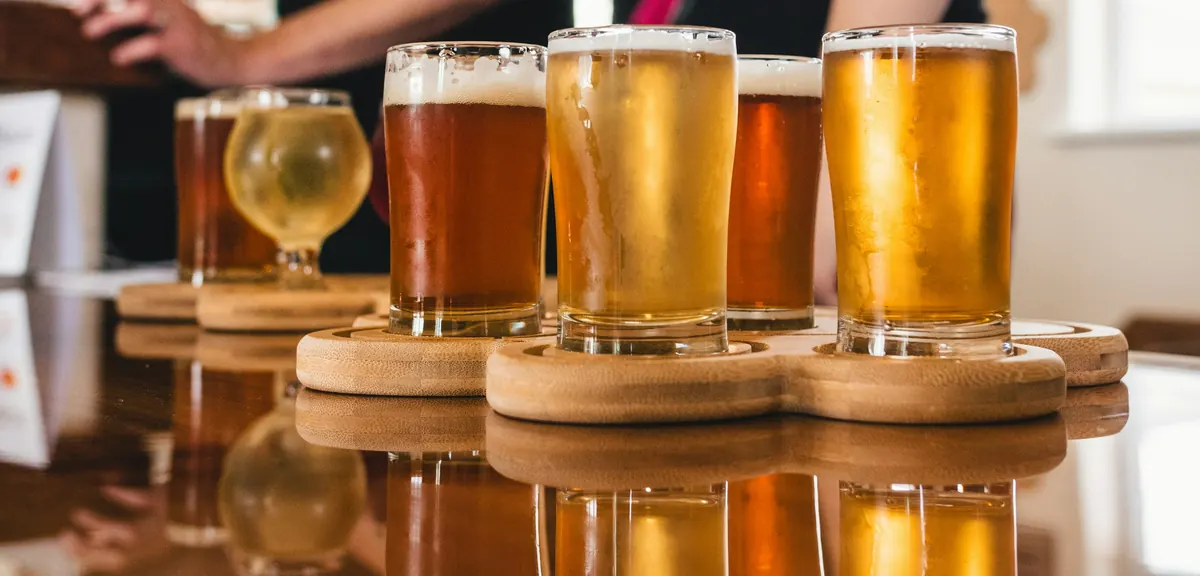
Copper Brewing runs on QUALO.
See everything QUALO handles for Canadian producers: GST, PST and HST, bottle and can deposits, and BC LDB and Alberta AGLC reporting.
Frequently asked questions
Is QUALO just for wineries?
No. Breweries use QUALO for their taproom, beer club, online shop, inventory, wholesale and production.
Can I import my BeerSmith recipes?
Yes. QUALO imports BeerSmith, BeerXML and BrewCipher recipe files.
Does QUALO track kegs?
Yes. The keg fleet tracks each keg’s location, customer, deposit and cleaning history.
Does it handle can deposits?
Yes. Deposits are calculated automatically at the POS, online and on invoices.
Do you support BC LDB reporting?
Yes, including LDB invoice import.
Can QUALO help plan brewing water?
Yes. Water adjustment plans compare your source water with a target profile, work out salt and acid additions for the mash and sparge, and can create a work order for the brew team.
Can I scale a recipe to a different batch size?
Yes. Enter a scale factor and create a production batch straight from the recipe version.