
How to Run a Club Release Without Spreadsheets
For most craft producers, club release week looks the same: a spreadsheet of members, another of inventory, a card terminal, a pile of shipping labels, and a team working late to make it all match. A club release run this way takes days, and one wrong row means a member gets the wrong wine or the wrong charge.
It doesn’t have to work like that. Here’s how to run a club release in five clear steps, whether you run a wine club, a cider club or a beer subscription.
Step 1: Build the release before you tell anyone
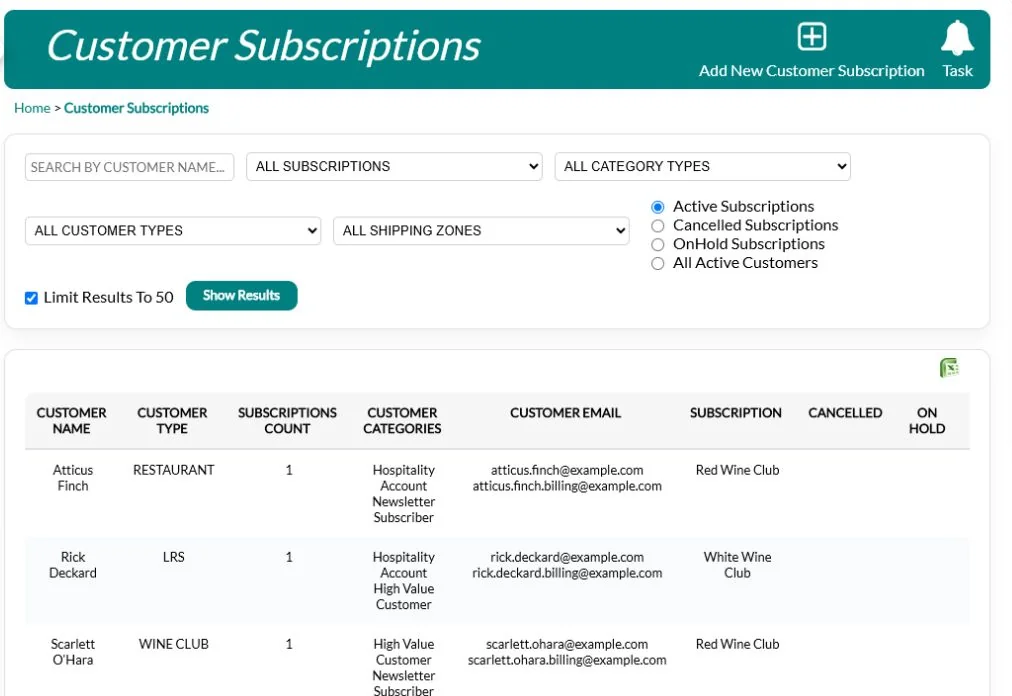
Start with what you’re shipping: the products, the quantity each member gets, and the price for each club tier. Before you announce anything, check you have enough stock for every member, plus a buffer for members who add bottles or swap items. A release that oversells your inventory creates the worst kind of member email: “Sorry, we’re out.”
Work through the details while there’s still time to change them:
- Count the members in each tier and multiply by what each one receives, then add a buffer for add-ons and the odd replacement.
- Set the stock aside so the tasting room and online shop can’t sell it before the release ships.
- Check prices and shipping for each tier, including any member discount on extra bottles.
- Write the tasting notes and release letter now, so they’re ready for the preview email.
Tip: set up a separate release for each club tier rather than one release with exceptions. Exceptions are where spreadsheets break. If a handful of members have a special arrangement, note it on their membership, not in a side spreadsheet that only one person understands.
Step 2: Decide how much members can change
Decide up front whether members can change their shipment, and how much:
- No changes. Everyone gets the release as built. Simplest to fulfil, but members who don’t like a wine have no way out except cancelling.
- Remove only. Members can drop items they don’t want. Good for mixed releases, and easy to plan stock for.
- Add and remove. Members can swap and add extra bottles. Best for sales, but needs more stock and a firm cut-off.
Most producers find that some flexibility pays for itself. A member who can drop the one wine they don’t like is far less likely to cancel, and members who can add bottles often turn a three-bottle shipment into six.
Whatever you choose, give members a clear window to confirm or change their order, usually one to two weeks, and send a reminder a couple of days before it closes. Say plainly what happens if they don’t respond: their release ships as built, and their card is charged on a set date.
Step 3: Let members do their own updates
The biggest time sink in club release week is updating addresses and expired cards. Every phone call that says “I moved” or “I have a new card” is a staff member retyping data, and every retype is a chance for a mistake.
Give members a portal where they can confirm their shipment, change their address for this release, and update their card themselves. Then tell them about it: put the link at the top of the release preview email, and again in the reminder.
Your team then only handles the exceptions: the member who can’t log in, the gift shipment to a different address, the special request. Release week goes from days of phone calls to a morning of tidying up.
Step 4: Charge everyone in one pass, then chase the declines
Once the confirmation window closes, generate every member’s order and charge stored cards in one batch, not one at a time at the terminal. Do it early in the day and early in the week, so you have time to follow up before shipping.
Expect some declines: cards expire, banks block unfamiliar charges, and members hit their limits. The key is what happens next:
- Keep a follow-up list of declined, expired and missing cards.
- Hold those orders back from fulfilment until they’re paid, so nothing ships unpaid.
- Contact those members the same day, while the release is fresh, with a friendly note and a way to update their card.
- Set a final date after which unpaid orders are cancelled or moved to the next release.
Track your decline rate from one release to the next. If it’s climbing, ask members to check their card details in the release preview, before you charge.
Step 5: Ship to the right address at the right rate
Shipping errors cost money twice: once for the wrong rate, and again for the reshipment. Ship each order to the member’s current address, using the rate for their shipping zone, and keep pickup members separate so their orders don’t end up in a carrier box by mistake.
Print packing lists and pick lists from the same orders you charged, so what’s packed always matches what was paid for. Then:
- Batch orders by shipping zone or carrier to speed up packing and labels.
- Check a few boxes against their packing list before they’re sealed, especially for members who changed their order.
- Send tracking details as soon as orders ship, so members know when to expect them.
- Remind pickup members of pickup dates and hours, and follow up with anyone who hasn’t collected within a couple of weeks.
Watch the weather, too. In very hot or very cold spells, hold shipments to the affected zones for a few days rather than risk damaged wine and a replacement shipment.
What a good release week looks like

When these steps run in one system, release week changes shape:
- Monday: build the release and check it against the stock on hand.
- Tuesday to Friday: members confirm and customize online.
- Following Monday: generate orders and charge the club in one pass.
- Tuesday: follow up the declines; pack and ship the paid orders.
No spreadsheets to reconcile, and no member charged for wine that isn’t on the shelf.
Five mistakes that make release week harder
- Announcing before checking stock. If you promise a wine you only have 200 cases of to 300 members, someone gets a substitution and an apology.
- Charging before the confirmation window closes. Members who change their order after being charged create refunds, re-charges and confusion.
- Shipping from a spreadsheet of old addresses. An address list exported last quarter is already wrong for some members.
- Treating declines as a fulfilment problem. A declined card is a member-service problem. A quick, friendly call usually saves the order and the membership.
- No record of what changed. If a member says “I removed that bottle”, your team needs to see exactly what they confirmed and when.
A simple release-week checklist
- ☐ Release built per tier, with stock checked
- ☐ Change rules chosen and the confirmation deadline set
- ☐ Preview email sent, with a reminder two days before the deadline
- ☐ Orders generated after the deadline
- ☐ Cards charged in one batch
- ☐ Declines contacted the same day
- ☐ Packing lists printed from the charged orders
- ☐ Shipping confirmation email sent
Club release FAQs
How long should members have to confirm their shipment?
Most producers give five to seven days, with a reminder two days before the window closes. Shorter windows mean more members miss the deadline; longer ones push back your shipping date.
Should I charge on confirmation or all at once?
Charging everyone in one batch after the window closes is simpler to reconcile, and it means members who change their order are only charged once, for what they actually chose.
What about members who never respond?
Decide your default in advance, usually “ship as built”, and say so clearly in every release email, so silence never causes a surprise.
How QUALO helps
QUALO’s Clubs & Subscriptions module was built around this exact process. Each release shows what’s on hand and what will be left before you commit. For each release you choose one of four rules for how much members can change their order. Members confirm, customize and update their details in the member portal. Stored cards are charged in bulk, declines go to their own queue, and every order ships to the member’s current address at the correct zone rate.
See how Clubs & Subscriptions works · Book a demo