
Club and subscription software that runs your releases for you
A club release shouldn’t take your team a week of spreadsheets. Whether it’s a wine club, a cider club or a beer subscription, QUALO handles the whole cycle from sign-up to shipment, and lets members do their part online. Every club order draws from the same inventory and customer records as your tasting room or taproom.
As many clubs as you need
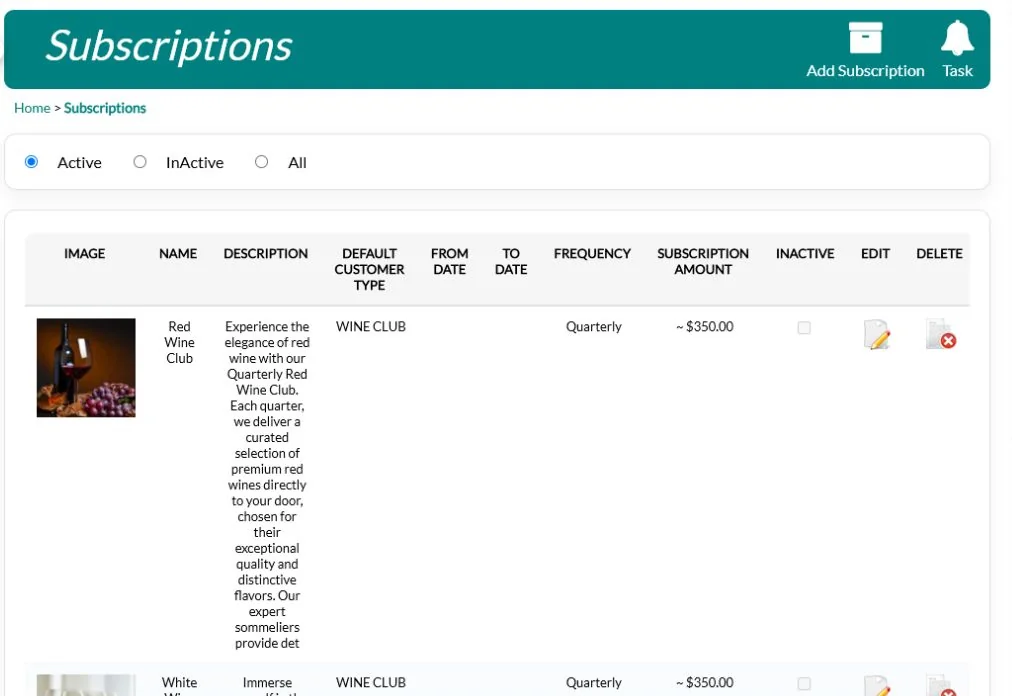
Set up each club or subscription with its own frequency, dates, location, member customer type and amount. Every club gets a branded sign-up page and its own link, so you can share it in emails, on social media or as a QR code at your bar.
The member customer type is what gives members their pricing, and the location becomes each new member’s default inventory location. Add an image, a description and your own header and footer to the sign-up page, and choose who on your team is emailed about new sign-ups and cancellation requests. When a club closes to new members, mark it Retired. Sign-ups stop, but current members keep getting their releases. A customer can belong to more than one club, with a different address for each.
Choose any frequency, from daily or weekly to monthly, quarterly, three times a year, twice a year or yearly. From and To dates control when a club appears on your All Subs List, a single page showing every open club with a Subscribe button. In Subscription Layout you drag clubs into the order you want and set how many show across. A discrepancy report also finds members with the wrong customer type, or customers with a club’s customer type but no active membership, such as an abandoned sign-up.
Releases your members can customize

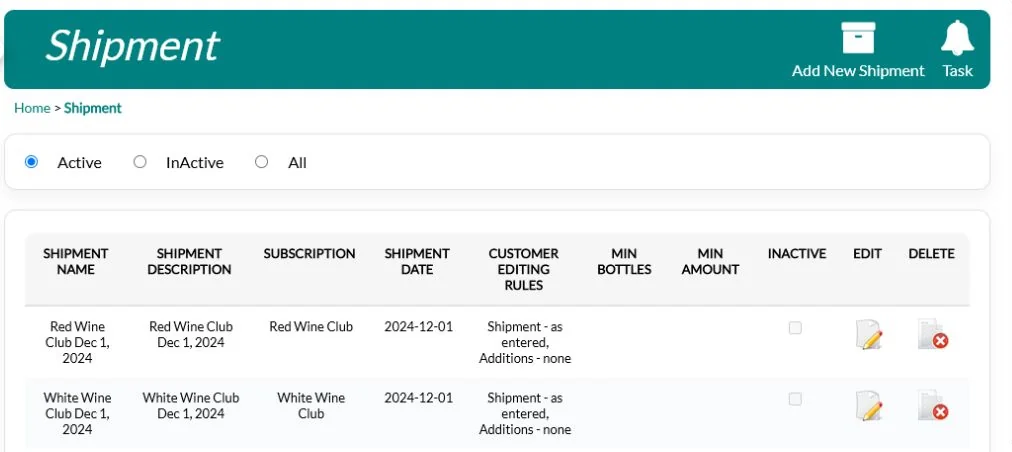
Build a release by choosing the products, quantities and prices, and QUALO shows your stock on hand and what will be left before you create invoices. For each release, choose how much members can change it, from one of four rules: confirm it exactly as entered, keep it as entered and add extras, add or remove whole shipments plus extras, or change quantities freely. Members confirm their order online and can update their ship-to address for that release.
A release can hold up to 24 items plus 24 optional add-ons. When members can make changes, you can set a minimum number of items or a minimum dollar total, and a maximum on items that are running low. Members see their total before they confirm, and staff can confirm on a member’s behalf when they call in.
Each release has its own order name, description, shipment date and picking location, so different releases can be picked from different places. As you add items you see a running subtotal, with bottle deposits totalled separately, and QUALO stops you saving if the same item has been entered twice. Once members confirm, releases that allow changes give them an Update button, so they can adjust their order again.
Process the whole club in one pass
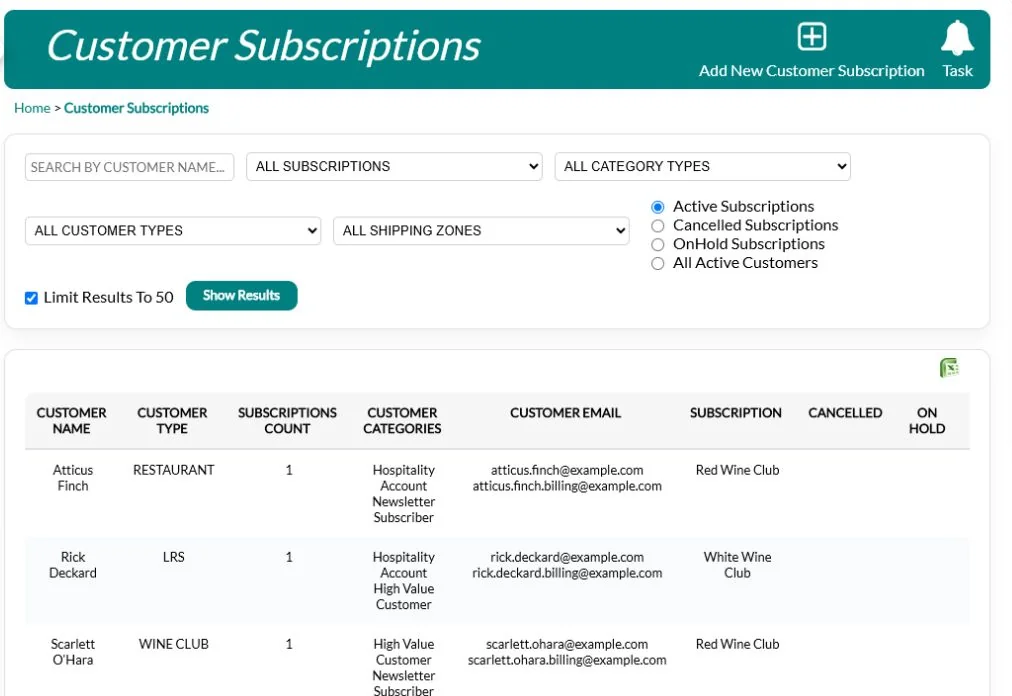
Generate every member’s order at once. The Subscription Dashboard shows exactly where you stand for each release: unreviewed, reviewed, confirmed and modified. Turn orders into invoices and charge stored cards in bulk. Declined, expired and missing cards land in their own queues so your team can follow up, and the packing report can be limited to paid invoices so declined orders aren’t shipped.
Orders that members changed are flagged, so you can check them before charging. A member’s order can be cancelled before it becomes an invoice, and orders generated by mistake can go back to preview. When a card is declined, staff see the processor’s message and can send a ready-made email asking for a new card. When the member adds one, they can pay the outstanding invoice right away.
Subscription Orders moves each release through three stages, Preview, Generated Orders and Invoices, and each list exports to Excel. Members on hold between a start and end date are left out of the preview. With automatic emails turned on, generating orders sends each member your shipment confirmation email, and converting to invoices emails each member their invoice. You can also choose not to email invoices that still have a balance owing.
Shipping that gets it right
Each order ships to the member’s current address with the correct rate for their zone. Pickup choices and staff overrides are kept, and an order with no valid shipping zone is held for review instead of going out with the wrong charge. Packing reports and pick lists are ready for each release.
Members can choose pickup instead, at any pickup location you set up, such as your tasting room or taproom, and the stock comes out of that location. Shipping rates can differ by customer type, so members can get a shipping discount. The packing report separates standard and edited orders, and pickup and delivery, and can be limited to paid invoices, so the packing team only sees orders that are ready to go.
On each release you can take a percentage or a flat amount off shipping. Shipping zones can also charge by weight, with up to five weight tiers in pounds. Delivery notes members enter at sign-up appear in the packing report next to the bottle count, orders going by Canada Post get their own packing list, and every list downloads as a CSV file.
A member portal that saves you calls
Members log in to see their club, confirm and customize shipments, update their profile, addresses and card on file, and request a cancellation, which notifies your staff.
Each release shows the club name, the release name, your instructions and the shipping choice, with plus and minus buttons where changes are allowed. Members see what they owe before confirming, and a thank-you message tells them it’s done. They can also keep several addresses on file and review past orders. The portal can run on your own web address instead of a QUALO one, so it feels like part of your website.
On My Subscriptions, members see each club with its ship-to address, frequency, join date and any cancellation date. When they click Request to Cancel, the button changes to Requested and a message tells them you’ll follow up, and if they change their mind, staff can withdraw the request. On each release, a Shipping tile shows how the order is going out, with a Change to Pickup button for each pickup location available to them.
Keep members engaged

Member pricing applies automatically in person and online. Members earn loyalty points on club orders, with tiers if you want them. Automatic emails cover sign-up, unfinished sign-ups, cancellations and order confirmations, and the built-in email designer can target members on their club anniversary or birthday.
When members sign in to your online shop, they see their price next to the regular price. Loyalty shows each member’s tier and how much more they need to spend to reach the next one. You can also offer members-only tasting experiences by limiting a reservation experience to your club customer type. Email History shows which messages were delivered, opened and clicked, and anyone who unsubscribes is taken off your lists.
Built for your industry: Winery Software · Cidery Software · Brewery Software
In Email Customers you can send to one club, or only to members with an order in a specific release. Anniversary filters go beyond this month to milestones from one year up to six years and more, so you can thank long-time members, and birthday filters cover today, the next 7, 14 or 30 days, and this month or next. On the Summary Sales report, club sales show on their own lines, marked Subscription.
Frequently asked questions
Can members customize their shipment?
Yes, if you allow it. You choose the rule for each release, and members confirm online.
How do I charge the whole club?
Generate the orders, review them on the Subscription Dashboard, then convert and charge stored cards in bulk.
What happens when a card is declined?
The order moves to a declined-card queue for follow-up, and you can limit the packing report to paid invoices so it isn’t shipped until it’s paid.
Can I run more than one club?
Yes, each with its own schedule, member pricing and sign-up page.
Can I move my existing club over?
Yes. Customers and subscriptions can be imported.
Can members pick up instead of having their order shipped?
Yes. Set up as many pickup locations as you need. Members can choose pickup for a release, and the stock comes out of that location.
Can I close a club to new members without affecting current ones?
Yes. Mark the club Retired. New sign-ups stop, and existing members keep receiving their releases.